

Dual Layer DVD recording about to arrive

Sony's computer drive will support the new 8.5GB DVD DL+R format, along with DVD+R/RW, DVD-R/RW and CD-R/RW I had a long lunch yesterday with Gordon Kerr, Sony Australia‘s Group Sales and Marketing Manager for Recording Media, Energy and Optical. The main focus was on the new dual layer DVD recording format, but our discussions turned out to be fairly broad ranging.

The new format, known formally as DVD DL+R, is a write-once disc with two layers, boosting capacity from the existing 4.7GB to 8.5GB. No one reading this needs to be told the benefits this provides. He expects blank media to sell for around $AUS10 each. Sony’s first computer drive (pictured) should be out here around June this year, with a price premium of $100 to $200 above existing drives.

Why is it based on +R? Because the DVD+R and DVD+RW formats are primarily Sony’s and Philips’ babies, and developing a rewritable version is providing difficult technical challenges. Kerr says that the competing DVD-R/RW camp is also experiencing the same problems on their rewritable formats. He expects them to have a dual layer DVD-R out in the near future, though.

Oh, and he says that DVD DL+R recording will work seamlessly across the layer change. That’s a relief.

Why, I asked, do Sony’s consumer DVD recorders support DVD-RW and DVD+RW and DVD-R, but not DVD+R? Copyright, he says. It turns out that while DVD-R and RW have good support for ‘Content Protection for Recordable Media’ (CPRM), and it can be implemented on DVD+RW somewhat, DVD+R does not yet support it. As a major content providing company as well as a consumer electronics manufacturer, Sony is keen to enhance DVD+R to support this as well before whacking it into consumer recorders. CPRM is a system for controlling copying of protected media. It seems to depend on the original recorded material carrying some kind of protection flag, but I have yet to work out fully how it works.

A while back Sony developed a high-capacity CD-R/RW recording technology, allowing up to 1.3GB (about twice CD-R’s capacity) of recording. I asked what was happening with this. He says Sony sold off the technology to another company because it felt (correctly, in my view) that another recordable format would simply confuse the market. The various recordable DVDs do the job quite well enough.

And Blu-ray? How about the DVD Forum’s HD-DVD? Kerr thinks Blu-Ray will win this one. Unlike DVD+/-R/RW there is a signficant compatibility issue between these two high capacity formats. The + and – discs were always physically compatible. Same lasers, same physical organisation of data on the disc surface, and so forth. All they needed for complete compatibility was appropriate firmware to understand their logical idiosyncracies.

But Blu-ray and HD-DVD are not physically compatible. Sure, they use the same 405nm wavelength laser (this is blue in colour, while DVD’s is red — 650nm — thus the name of the former). But there are still huge differences. One obvious one: optical media use the transparent plastic above the data layer as part of the optical system to focus the laser. DVD’s is 0.6mm thick, as is HD-DVD’s. But Blu-ray’s is only 0.1mm thick.

This has other implications. HD-DVD discs are presumably more robust that Blu-ray discs because this layer also has a protective function. But all Blu-ray media are in caddies and so are protected from the casual neglect of their users. If anything the robustness argument favours Blu-ray.

If I had to bet, I’d bet on Blu-ray. It seems to have more industry support. There are actual devices and discs available (at high prices) in Japan. And it offers 27GB rather than HD-DVD’s 20GB on a single layer.

Declaration: In addition to the yummy lunch, I was given at the end the press releases and photos not on the usual CD-R, but on a 128MB Sony Micro Vault USB 2.0 memory thingo — usual price around $120.
Posted in Computer, DVD, Equipment, Recorders | Leave a comment

Foxtel Digital Service in Canberra – A subscriber’s experience

My brother has long been an enthusiast of Foxtel. Now he’s onto the new digital service. Here’s what he writes:

I booked in to get hooked up to the new interactive digital service over a month ago and it happened!!! Even on the correct day!!!

The technician was friendly and not stoned or drunk (reports of this in newsgroups). He was from Sydney. Apparently due to the strike, jobs in Canberra are being done by techs from Sydney and Melbourne. Foxtel are giving them free accomodation whilst they are here.

Installation took 2 hours, most of which was the return path [ie. the phone connection to allow interactivity – SCD]. He said that installations in the future may use a wireless return but due to technical problems, these are still some way off.

There are only two FTA channels currently available, SBS & 9 (sourced from Sydney). Only the core channel for channel 9 is provided. The SBS news channel is also available.

The unit has less outputs than the UEC [provided for the former incarnation of Foxtel – SCD]. With the SCART set to output S-Video, both SCARTs will not output composite correctly. There are not seperate settings for TV & video SCARTs as there was on the UEC. Fortunately composite is still output by the single RCA socket next to the TV SCART. I have hooked up both VCRs with double adaptors with no noticeable degredation in picture quality. I have had no problems recording off the regular service – no idea about FBO (pay per view movies) which are meant to enable macrovision.

The digital audio out is optical only, the 3.5mm phono plug will only pass analog stereo. Richard Smith has complete cables and optical adaptors to suit this connection (the adaptor is RadioShack part no. 42-9566 and cost $9.95 – a complete cable was around $30).

Using the automated channel changing function I noticed the following. If you switch the STU off via the remote, it will turn back on only for the length of the program after which it turns itself off. If you leave the STU on, it remains on after the channel change and the program has finished.

The tech confirmed that there is no printed TV guide. We will have to use the EPG or the internet. A monthly book will provided describing upcoming highlights. I think this sucks as I (formerly) plan my viewing based around the guide. I hope they change their minds and start providing a printed guide. Also there is no indication in the EPG for first run movies. I always try to watch all the first run movies each month and the printed guide has them listed in a different colour making them easy to spot.

Posted in DTV | Leave a comment

Must Have DVD: Master and Commander

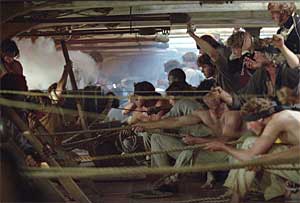
Master and Commander I watched the new DVD of Master and Commander: The Far Side of the World last night. For some reason I didn’t catch it at the cinema. It’s a fine movie, giving a real sense of the times (early 19th Century) for those at sea.

And it is also the marvellous tool for showing off your subwoofer — if it’s up to the task. The first battle, near the start of the movie, is magnificent. The bass seems to contain plenty of infrasonic frequencies and is experienced by the body, rather than ear. It is DVDs like this that show the difference between real subwoofers and those little passive chipboard boxes that come with packaged systems, and that if they are lucky might deliver 50 hertz.

Oh, the surround’s brilliant too, with the creaking ship immersing the listener.

Get it when it comes out in Australia on 21 April 2004. Impress the neighbours. No, wake up the neighbours!

Posted in Disc details, DVD | Leave a comment

Samsung DVD-HD937 DVD player availability

A number of people have contacted me about the Samsung DVD-HD937 about which I’ve previously written. Well, I made some calls — or rather attempted to make some calls — to the powers that be at Samsung here in Australia. But they were never returned. Kind of a repeat of previous problems I’ve had with Samsung. Anyway, as a last resort I contacted Samsung’s PR firm and yesterday the chap there got back to me, after having done the leg work. Here’s his answer:

Samsung has advised me that demand has been high for the unit. To meet this demand additional units have been ordered in. People should now be able to get it at their leading retailers.

Also, it now seems that the unit is back up on Samsung’s Web site.

Posted in DVD, Equipment, HDMI | Leave a comment

Twentieth Century Fox sets date for release of Star Wars trilogy

The Star Wars Trilogy The 22nd of September 2004 will see the release in Australia of the Star Wars trilogy which, thanks to the peculiar mind of George Lucas, filmed twenty years before their chronologically earlier (and rather poorer) prequels.

All three of these movies make the IMDB Top 250 list (numbers 10, 15 and 132 as I write). Neither of the two prequels so far released have managed this. The original Star Wars (now Star Wars Episode IV: A New Hope) was, of course, ground breaking in that it was the first to truly meld science fiction special effects of the quality appearing in 2001: A Space Odyssey with a good, rollicking yarn.

From the press release:

Star Wars Episode IV: A New Hope, Episode V: The Empire Strikes Back and Episode VI: Return of the Jedi will be available in a four-disc set that includes a bonus disc filled with all-new special features — including the most comprehensive feature-length documentary ever produced about the Star Wars saga and never-before-seen footage from the making of all three films. Each of the three films in the STAR WARS TRILOGY has been digitally restored and re-mastered by THX for superior sound and picture quality.

The press release adds that Twentieth Century Fox is ‘digitally restoring every single frame of film’.

Posted in Disc details, DVD | Leave a comment

Denon’s DVD-2200 Universal Disc Player does nearly everything

Denon DVD-2200 Denon has released its latest Universal Disc Player, the DVD-200, with an Australian RRP of $1,299. Naturally it supports both DVD Audio and SACD in addition to the more common disc formats. It also does bass management for both of these formats, channel levels, and speaker time alignment for DVD Audio. But not for SACD. Can SACD surround survive this continuing omission? I have yet to see a player that provides this.

The major omission in the video front is the lack of DVI. I won’t be upgrading to any DVD player without DVI.

Posted in DVD, Equipment | Leave a comment

DVD Recording goes Double Layer

Some months ago Philips announced that it had developed a double layer DVD recording enhancement for the ‘+’ variety of recording technology. This bumps up the capacity from around 4.7GB to 8.5GB. (Actually, since recordable DVDs reserve some of their capacity for their own purposes — current ones providing closer to 4.3GB — it is likely that you won’t get a full 8.5GB). These discs will be called ‘DVD +R DL’.

Now Sony is announcing what appears to be the same thing (‘Sony supports both the + and – DVD recordable formats. Initially DL technology will only be available for the + format.’) We can expect products soon since ‘Sony intends to incorporate the new technology into their IT and consumer product ranges progressively over the next 12 months. The first products to feature the technology will be PC drives shipping around June.’

I’m having lunch with a guy from Sony next week so I’ll see what else I can find out. The first question that occurs to me is whether the recorders will be able to record seamlessly across the layer change, or whether it will be necessary to break material up to keep each section wholely on one layer.

I have added an entry for DVD +R DL to the Dictionary of Home Entertainment.

Posted in DVD, Recorders | Leave a comment

New additions to the Dictionary of Home Entertainment

Now also included in the Dictionary of Home Entertainment is a new, but probably already obsolete, video connection called ‘D-Terminal‘, plus an acronym that is likely to become very important over the next few years: HDMI, or High-Definition Multimedia Interface.

You will likely note that I have also removed the background graphic and changed the font to ‘Arial’, primarily to improve legibility, just as I have done right now to this Blog. I shall consider doing this elsewhere over the site in the near future.

Posted in Admin | Leave a comment

More on ‘judder’

The concept of picture ‘judder’, to which I referred two posts down, is very easy to show in a demonstration, but rather harder to explain in words. I’ve already received an email from a person along these lines. So rather than re-inventing the wheel, here’s a section of a review of a Philips TV I wrote in early 2000. The TV’s main innovation was to actually eliminate judder, so the review (I think, anyway) explains the issue rather well.

But I’ve saved the best for last: what it is that makes A Bug’s Life so different.If you have this DVD, I’d suggest you stop reading right now and go to your TV. Choose the full screen side of the DVD and start the movie. Right near the start there is a medium speed ‘camera’ pan up over some mud flats to the island upon which the starring ants reside. You will notice that the cracks in the mud seem to judder down your screen, jumping by discrete intervals with each frame of the movie. Sorry, but after the Philips demo of this, I’ve not been able to avoid seeing this myself, an effect of which I had previously been blissfully unaware, being so used to it.

The judder is not due to the PAL picture or TV representation, but to our own sense of perception being sensitive to a range of movement speeds that interfere with the 24 or 25 frames per second of film or PAL TV.

What I would like is for you to be able to watch this scene with the Philips TV under review. This has an option under its ‘Picture’ menu called ‘Natural Motion’. Select this and watch the same scene. The motion is silkily smooth. No judder at all. Quite incredible.

How is this done?

First, some background. A TV makes moving pictures by showing in succession 25 pictures (frames) per second. Each of these is made up of two pictures, interleaved line by line, so 50 separate pictures (called fields) are shown per second. This is your standard TV. An increasing number of high-end TVs are 100 hertz units. To reduce irritating screen flicker, these play each frame twice, so you end up with 100 pictures per second.

Now good old 50 hertz TVs had wonderfully fuzzy screens. Most nice new 100 hertz TVs have wonderfully crisp displays, as does this Philips TV. But the sharp focus means that the judder, previously concealed by screen fuzziness, is revealed. Philips new technology, ‘Digital Natural Motion’, instead of repeating each frame twice as in a standard 100 hertz set, calculates each intermediate frame as a new one, based on the preceding and the following ones.

This makes A Bug’s Life smooth. It works sideways as well, with one of the distant shots of the bikers in Easy Rider equally dropping all the judder (have a look around 19:12 into the movie).

This change is not subtle. But other effects are. First, a negative one. The processing seems to become a little confused when a sharply defined tan or black object moves across a diffuse green background, such as a person moving in front of foilage. This produces a subtle swirl around the edges of the foreground object, as though the air immediately around it is being heated, causing a lensing effect. An example of this is also in Easy Rider (see Dennis Hopper’s coat at 31:17). This appears only very occasionally, and is subtle.

Another subtle effect, but a more significant one in the longer term, has ultimately left me ambivalent about this processing. In short it improves the clarity of the film, making the visual representation ever so smooth. At some points it is breathtaking. In Easy Rider closeup shots of the characters taken in outdoor settings look, well, too clean, as though taken in the studio.

Why should this be? Well, consider the processing. Every second displayed frame is an average of the one before it and the one after it. Each real frame is a copy of the film frame. Each of these has film grain (especially on the 16mm film used for this movie), randomly distributed so the grain is different in each shot. The averaging of the intermediate frames removes the grain, so half the time the picture you’re watching is film-grain free. A welcome side effect is that DVDs telecined from poor quality prints, such as Blade Runner, lose a great many of the scratches and dust marring the film.

So why am I ambivalent? It isn’t the heat-haze effect. It’s the super clarity. Somehow it just seems too good.

Since then the technology has been improved and the ‘halo’ effect I referred to seems to have disappeared. Some Loewe TVs also use a similar system which also seems to work well. But they are still far from perfect. Sometimes they get quite confused with fine crosshatch patterns and dissolve the lot into a defocussed mess. But this seems to be rare now.

These days I don’t recommend high-end Philips CRT TVs because they have a huge flaw: they do not allow you to switch off all this digital processing. Nice as it is to have it available, I like to be able to switch it off if it is causing problems, or if I just want to see the movie as it was originally made, rather than as the TV ‘improves’ it.

Posted in Video | Leave a comment

HD dilemmas

For the last entry I was using a VisionPlus DTV card to check out the new WIN high definition TV transmission. As of today I’m using a high definition (1080i) CRT-based RPTV and a HD set top box, and this reminds me of a problem we’ll have with HDTV for a while yet.

The RPTV runs PAL TV at 100 hertz. But 576p, 720p and 1080i all kick it back to 50 hertz. The problem: it flickers at 50 hertz. This is inevitable in CRTs (unless they get ones that will run much, much faster) because during the design phase of the CRT, you have to choose the persistence of the phosphors. Too long and you don’t get the benefit of 100 hertz. But because they don’t persist for long, when the tube is running at 50 hertz you get flicker.

The answer is obvious: go for a digital display. Plasma or LCD or some form of projector. Except for one problem with these: none of these has the resolution to fully display 1080i HD, so they all have to scale this down to fit their native resolution.

Eventually their resolution will rise to meet the challenge, but for the time being if you want to watch 1080i high resolution TV, you have to choose between the 50 hertz flicker of CRT-based devices, or a loss of resolution from a digital display device.

Posted in Equipment, HDTV, Video | Leave a comment